A Home Office With a Place for Creative Work
Plenty of people do two kinds of work at home. There is the work that happens on a screen, and there is the work that happens with hands: sketching, cutting, folding, assembling. When both share one desk, the hand work loses. The keyboard gets pushed to the edge, the half-finished piece gets swept aside for a call, and by Thursday the mockup you were building on Monday is under a pile of printouts. A home office with a place for creative work gives that second activity its own surface and somewhere to wait between sessions.
It helps to be specific about the creative work, because “a craft area” can mean anything from embroidery to welding. This proposal picks one clean activity: making paper and card mockups, the kind of thing a packaging designer, a book designer, an architect or an illustrator might build to test a fold, a layout or a proportion. It involves a cutting mat, a steel ruler, a craft knife, paper, card, glue stick and tape. It does not involve fumes, power tools, heat or anything that turns a home office into a workshop, and nothing here should be read as advice for those activities.
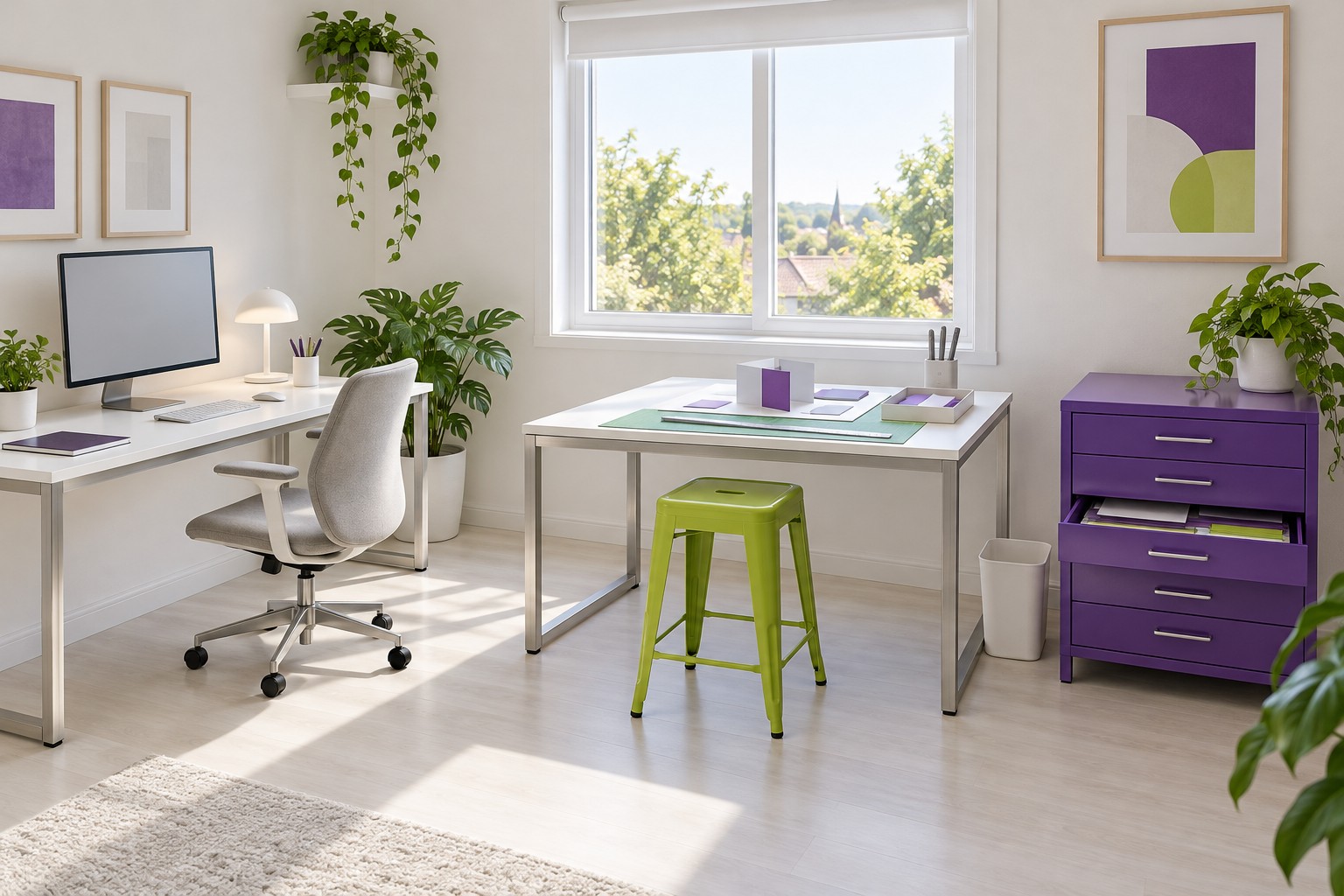
Image credit: pxef.com. AI-generated design concept.
The concept assumes a room of 3.4 by 4 metres, about 11.2 by 13.1 feet, with a window in the far wall. A computer desk of 140 by 70 centimetres, about 55 by 28 inches, stands along the left-hand wall, so the person working faces that wall with the window to their right. A separate mockup table of 120 by 80 centimetres, roughly 47 by 31 inches, stands against the far wall beneath the window, at right angles to the computer desk, with its own stool. Beside it, a saturated purple storage unit with shallow drawers holds paper, card and tools. A lime-green cutting mat covers part of the table. Both surfaces are industrial white on brushed metal frames. These are design assumptions for one specific kind of creative work.
The two tables share thin silver frames and plain white tops, but the objects on them do different jobs. The monitor and keyboard stay on the left. Under the window, the lime stool pulls up to a green mat and a small upright card form with a purple panel. One purple drawer is open just far enough to show the flat sheets inside. The open floor in front of the seats, rather than a joined corner desktop, connects the two activities.
The two surfaces are the core decision. With separate tables, the computer desk stays a computer desk: monitor, keyboard, a notebook and nothing else. The mockup table stays a mockup table. Neither has to be cleared for the other. The perpendicular arrangement keeps them close. In this layout, the office chair at the computer desk and the stool at the mockup table sit side by side, so moving between them is a matter of standing up and taking a step, with the chair left clear of the standing route. You can check a measurement on screen and turn to the card in a few seconds.
The gap between the two tables is deliberate. The computer desk ends well short of the mockup table, leaving a clear strip of floor where both seats can move back without colliding and where you can stand at the mockup table to cut. Some people prefer to cut standing, and the gap gives them room to try that position without leaning across the computer. Keep the material stable and use the tool as its maker directs; extra force is not the goal. A continuous L-shaped desk would look neater on paper but would put the corner, the least usable part of any L, exactly where you need to move between activities.
Depth matters more at the mockup table than at the computer. Eighty centimetres lets a cutting mat, a sheet of card and the piece you are assembling all sit on the surface at once, with the tools at the back. A shallow table forces you to stack things, and stacked paper is how small pieces get lost. The table height is the same as the desk, which suits sitting to draw or assemble. If you mostly cut standing, a taller table may suit you better; try your actual tasks at different heights using a kitchen counter before choosing.
Materials need to be retrievable without searching. The purple unit has several shallow drawers, each wide enough for large sheets to lie flat. One holds plain paper, one coloured card, one offcuts worth keeping, one finished samples. Shallow drawers keep sheets flat and visible; a deep box would let them curl and slide under each other. Tools live in the top drawer: ruler, glue stick, tape, a pencil, the craft knife. Keep the knife with its blade retracted or in a closed holder when not in use, store spare blades in their case, and dispose of used blades in a closed, puncture-resistant container using the appropriate local disposal route, never loose in a bin or left on the table where a hand might find them.
Unfinished work needs a home that is not the floor and not the computer desk. In this concept, it lives on a rigid board about the size of a large sheet of card, which sits on the mockup table during work. When a session ends, the whole board, with the half-assembled piece, its cut parts and a note of the next step, lifts and slides onto a clear area on top of the purple unit, if it is wide and deep enough to support the board. Nothing gets disassembled, and the mockup table is free for the next task. When you return, the board comes back out and the work is exactly as you left it.
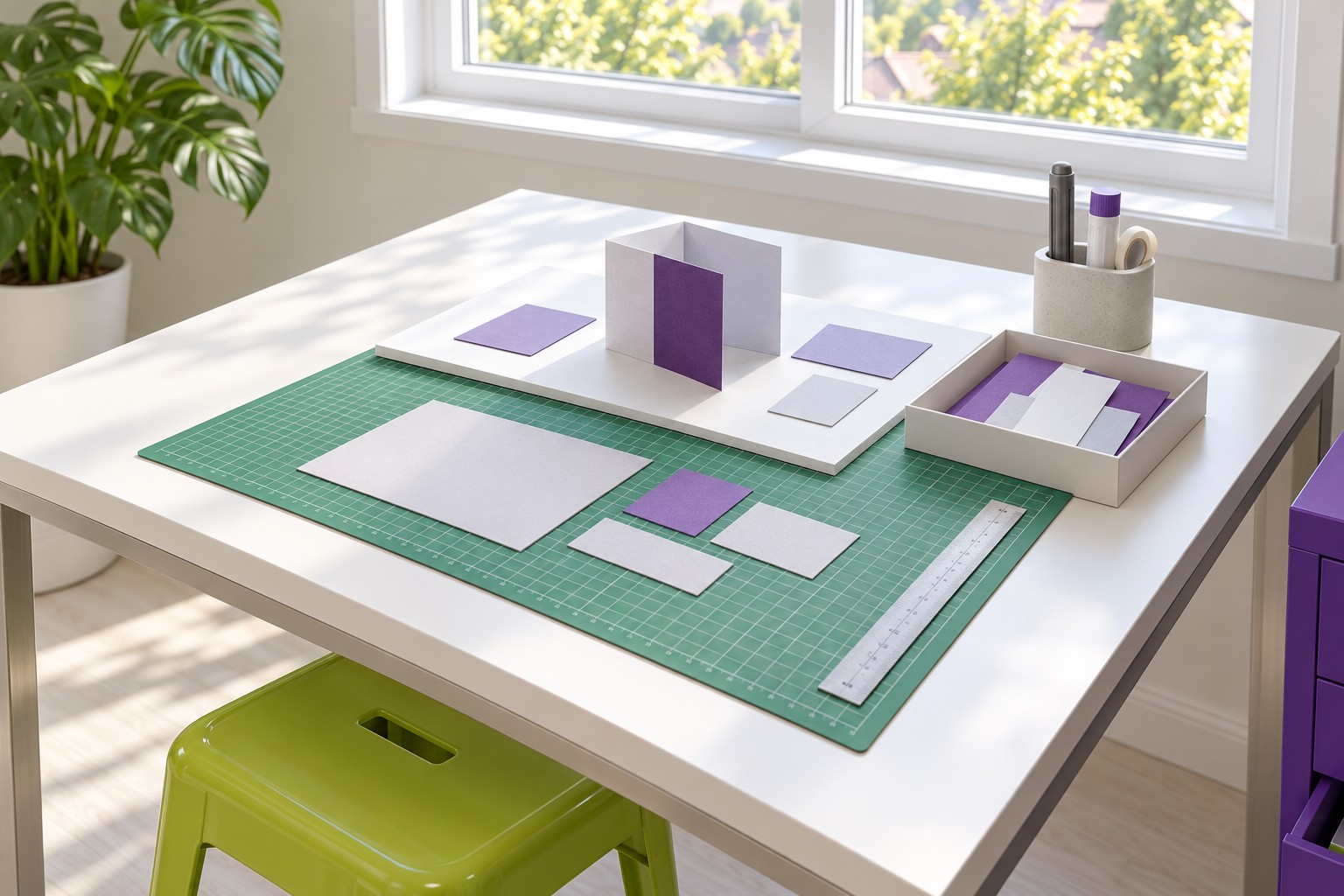
Image credit: pxef.com. AI-generated design concept.
A closer look at the same concept shows the board at work. The cutting mat sits at the front of the table where the cutting happens. On its rear portion, the separate white board carries the mockup in progress, a folded card form with a few loose parts held in a small tray beside it. The ruler lies flat and the knife sits retracted in its holder at the back, away from the edge. The point of the detail is the board’s edges: it is a separate, liftable surface, so finishing for the day means picking it up, not packing up.
The surfaces can change roles when they need to. The mockup table, cleared and with the cutting mat stored as its maker recommends, becomes a good place to lay out printed proofs, review a sketch with someone or eat lunch away from the screen. The computer desk can briefly host a finished mockup for a video call, angled toward the camera. What matters is that the change is a choice made for an hour, not a permanent creep of one activity into the other’s space.
Light needs to serve both tasks. The window above the mockup table gives generous daylight for judging paper colour and seeing fine cuts. The computer desk gets the same window to the side of the screen, so it avoids glare directly behind or in front. In the evening, each table needs its own lamp: a task light over the mockup table angled to avoid casting your own hand’s shadow over the cut line, and the usual lamp at the computer. Paper and card look very different under different light, so if colour matters to the work, do important comparisons in daylight or under a consistent lamp.
Cleaning up after hand work is part of the design. Small paper offcuts travel. A bin beside the mockup table catches them, and a small brush or hand vacuum keeps the cutting mat clear. Keep glue and tape closed when not in use. This proposal assumes hand cutting and folding with a small amount of glue stick and tape. Check the actual materials’ use, ventilation and storage instructions; an illustration cannot establish that every adhesive or material is suitable for an ordinary room. If your creative work does involve solvents, sprays, heat or power tools, it needs a different room and different advice.
The colours give the two zones a little identity without dividing the room. White surfaces and brushed metal frames make both tables read as one family. The purple storage marks the making zone. Lime green appears on the cutting mat and the stool. The computer side stays quieter, so the eye rests there when you are thinking and lights up when you turn to make something.
Try it before buying a second table. Clear a dining table for a week and use it only for the mockup work, with a board for unfinished pieces and a box for materials. Keep the computer where it is. If you find yourself moving between the two easily, and the creative work stops migrating onto the keyboard, the arrangement is worth making permanent.