Home Office Cable Management You Can Still Reach
The tidiest desk photographs have no cables at all, which is a good sign that nobody has had to change anything there. Real desks gain a new charger, lose a dead one, swap a monitor or need disconnecting when equipment moves. A cable arrangement that looks immaculate but needs a screwdriver, a torch and ten minutes on the floor every time something changes is a nuisance waiting for its first Tuesday. The aim here is cable management you can reach.
Start by listing what you actually do to the cables. Over a normal month you might plug in a phone, swap a laptop charger between rooms, unplug a lamp to use elsewhere, add a hard drive for a backup, vacuum under the desk and pull the chair back hundreds of times. Each of those is a service task. A good arrangement makes the frequent ones easy and keeps the rare ones possible without dismantling everything.
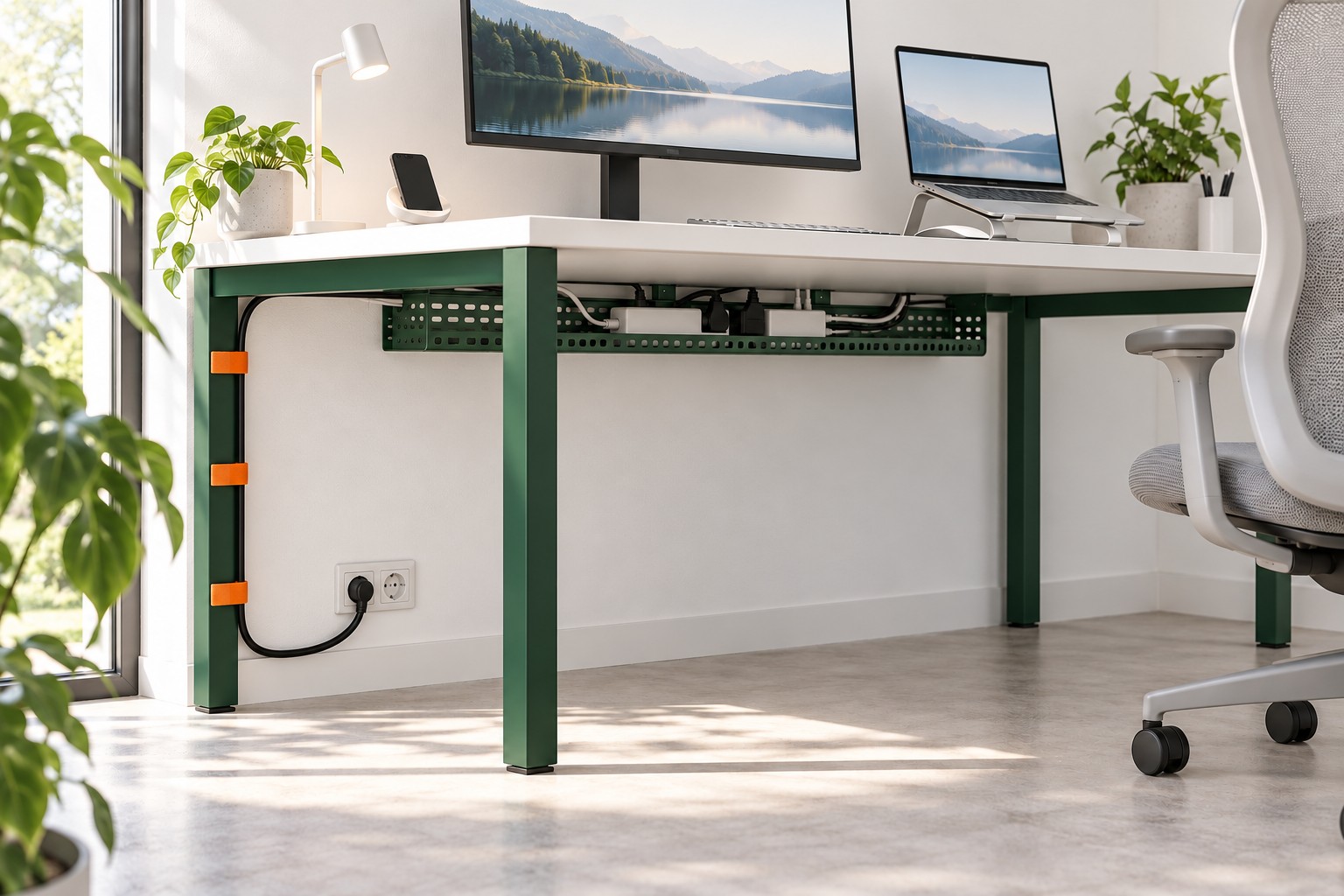
Image credit: pxef.com. AI-generated design concept.
The illustration makes the cable route visible rather than removing it from the picture. A perforated tray sits below the white desktop, the emerald frame supports the route, and orange straps hold one black cable against the rear leg before it curves to the wall socket. The monitor, raised laptop, lamp and phone stay above, while the floor is clear below. This concept follows one route through one ordinary setup. The design assumes a matte white desk of 140 by 70 centimetres, about 55 by 28 inches, on emerald green powder-coated steel legs, against a wall with a double outlet behind the left rear leg. On the desk sit a laptop on a stand, one external monitor, a task lamp and a phone charging spot. Beneath the back edge of the desk, an open steel tray runs most of the desk’s width. Power travels from the wall outlet up the left rear leg into the tray; the equipment’s plugs and power bricks rest in the tray; only short leads come up to the desktop. The ties holding the bundle to the leg are bright orange hook-and-loop straps. That colour is a practical decision: you can see them, and you can undo them.
Separate the power route from the data route before you start bundling. Power runs from the wall to the equipment and changes rarely once it works. Data and charging cables run between devices on the desk: the monitor lead, a USB cable to a dock, the phone cable. Those change more often and need to move when the laptop moves. Treating them as one fat bundle makes every small change a big one. In this setup, power lives low in the tray and the leg; data stays near the desktop, running along the back edge where you can see it and lift it out.
The tray is where the design either earns its keep or becomes a hidden drawer of mystery. An open-topped tray mounted under the rear of the desk keeps plugs and bricks off the floor, out of the chair’s path and away from the vacuum cleaner. Open matters. An opaque box may look cleaner, but it can add another lid and another obstruction when a cable needs changing. With an open tray you can lean forward, look under the edge of the desk and see which brick belongs to which device. If your desk will take a tray, follow its maker’s fixing instructions and check what the desk underside can support. If it will not, an accessible open support behind the desk may be an alternative, provided it suits the equipment and its ventilation requirements.
Replacing a charger is the most useful test of the whole arrangement. Imagine the laptop charger has failed. In this setup you pull the chair back, lean under the rear edge, unplug the brick from the strip in the tray, undo one orange strap at the leg if the lead passes there and draw the old cable up through the gap behind the desk. The new one goes back the same way. Nothing else moves. If the same job in your room means unplugging the monitor, lifting the desk away from the wall or cutting a cable tie, that is the point in the arrangement to change.
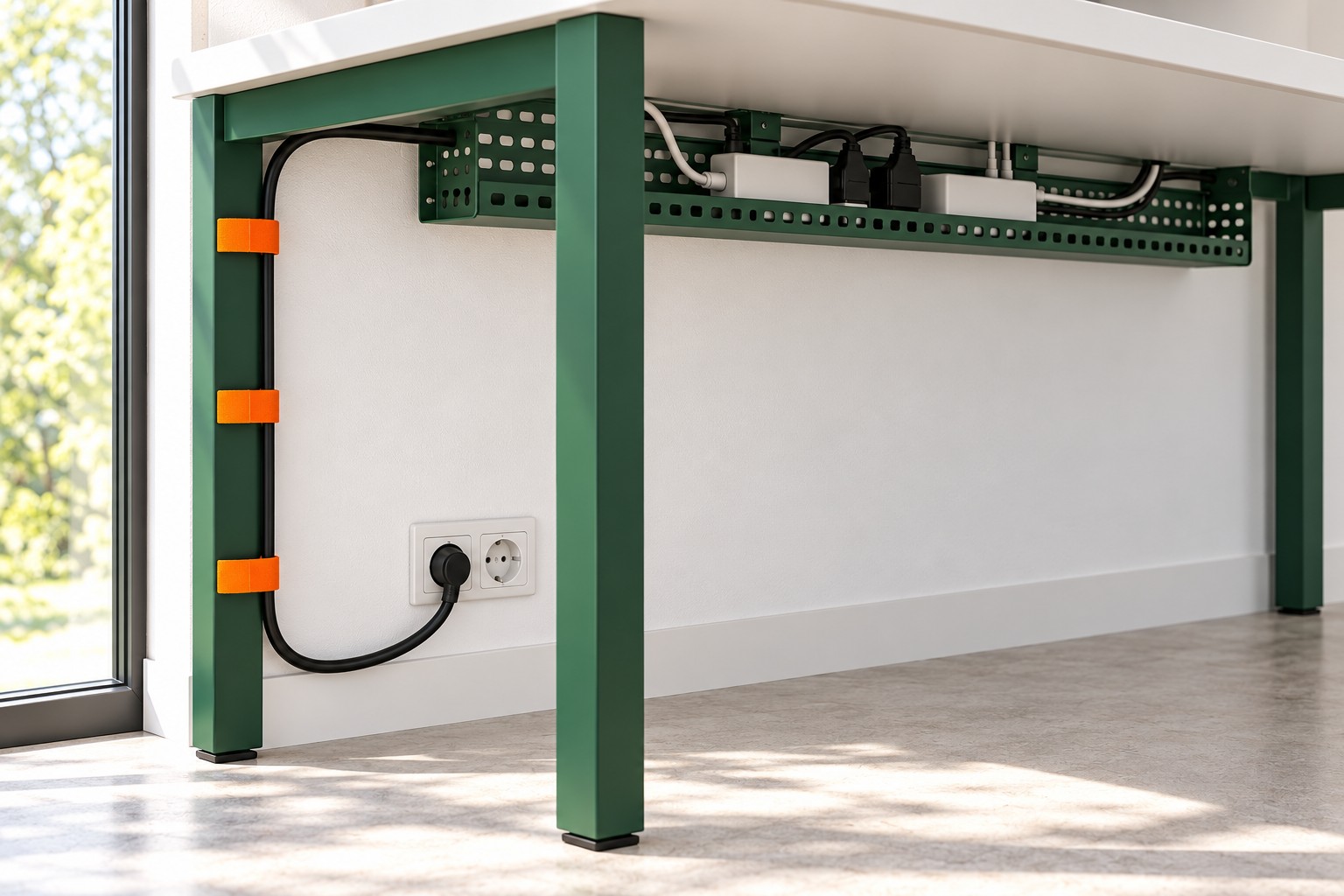
Image credit: pxef.com. AI-generated design concept.
A closer look at the same concept shows the parts that make that possible. The open tray keeps the plugs visible from below and accessible from the side; check the actual reach with your own desk and chair. A single cable leaves the tray at the back corner and follows the rear leg down to the outlet, held at intervals by the orange straps. There is a little visible slack at the bottom, so pulling the plug from the wall does not drag the whole bundle. The proposal does not pretend the cable is invisible. It is one deliberate line instead of five loose ones.
Choose fastenings you can undo. Single-use plastic zip ties are tidy on day one and must be cut on day ninety, usually with something sharp held close to the very cable you want to keep. Reusable hook-and-loop straps, clips that open by hand or a fabric sleeve with a zip let you add or remove one lead without starting again. Colour helps too. A strap you can see is a strap you will remember to undo before pulling.
Leave slack where things move. A laptop gets lifted off its stand, a monitor gets angled, a chair rolls and a desk gets nudged during cleaning. Each of those needs a little spare length in the right place, not a taut cable bridging a gap. For a height-adjustable desk, that spare length becomes essential. Manufacturer instructions for these desks tell you to make sure every cord has enough slack for the full travel and to check around the desk for obstructions before it moves. Plan that slack as a visible loop near the floor or the tray, and test the full range of movement before tightening anything.
Keep the floor for feet, wheels and the vacuum. Power and extension cords should not run through walkways or under rugs and furniture, where they get stepped on, pinched or hidden from inspection. In this concept, the only cable on the floor is the short drop from the bottom of the leg to the outlet, close against the wall and away from the chair base. If the nearest outlet is somewhere awkward, that is worth treating as a layout question. Moving the desk closer to power is usually better than running a lead across the room, and a long lead plugged into another lead is not a fix to aim for.
Respect what the cables sit near. Power bricks and chargers get warm in use, so do not bury them under fabric, cram them into a sealed box or wrap them tightly in their own cable; follow the equipment maker’s guidance on ventilation. The same goes for the devices themselves. A tidy arrangement should not block a laptop vent, a radiator valve, a light switch or the outlet faceplate itself. If you have to reach past a bundle to turn something on or off, the bundle is in the wrong place.
Electrical work is a separate subject. Adding an outlet, moving one or changing a circuit is a job for a qualified electrician, and nothing here assumes otherwise. Within ordinary home office arrangements, use equipment as its makers intend, plug the power strip directly into the wall, and stop and get advice if anything is damaged, hot or unclear. The cable route described here organises plugs and leads; it does not change the electrics behind the wall.
Cleaning is the last test, and a candid one. Pull the chair out, vacuum under the desk and wipe the tray. If you have to unplug things or lift cables off the floor first, the route is doing less than it appears to. The emerald legs and orange straps in this concept are cheerful, and they also do a job: they make the arrangement visible enough to understand and open enough to service, which is what lets you forget about it on most days. For the bigger picture of how equipment shapes a room, start with designing around the working day.